Getting started with TidyType on iPhone
Set up the keyboard, run your first on-device rewrite, personalize your chips and understand how privacy and TidyType Pro work.
TidyType is a full iPhone keyboard with one-tap AI actions above the keys. Type in any app, then tap a chip to fix grammar, change the tone or translate the text in place.
Your writing stays on your iPhone. Rewrites use Apple Intelligence on-device. The keyboard makes zero network requests and there is no separate AI model to download.
Available nowTidyType Keyboard is on the App Store. Download it for iPhone →
What you’ll need
- iOS 26 or later
- A supported iPhone: iPhone 15 Pro/Pro Max, iPhone 16 Pro/Pro Max, or any iPhone 17 or newer
- Apple Intelligence enabled in Settings, using a supported device language
- Full Access enabled for TidyType so the keyboard and companion app can share your chips and preferences locally
ImportantThe standard iPhone 16 and iPhone 16 Plus are not supported because they do not provide the Apple Intelligence Foundation Models required by TidyType.
The App Store listing is configured to offer TidyType only on supported Apple Intelligence hardware. Unlike Android, iPhone needs no multi-gigabyte download and no separate storage allowance for the model.
Set up the keyboard
Open TidyType after installing it. The welcome screen walks through the same steps below and includes a practice field that completes setup when the keyboard runs successfully.
1 — Add TidyType to iOS
- Open Settings → General → Keyboard → Keyboards.
- Tap Add New Keyboard….
- Choose TidyType under Third-Party Keyboards.
2 — Allow Full Access
From the Keyboards list, tap TidyType and turn on Allow Full Access. iOS uses a broad system label for this switch, but TidyType uses it only to read the chips and preferences saved by its companion app through shared on-device storage.
Privacy detailThe TidyType keyboard contains no networking code. Full Access cannot make it upload what you type; it only enables local settings sync between the app and keyboard.
3 — Finish in the practice field
- Return to TidyType and tap the practice field.
- Hold the 🌐 globe key and choose TidyType.
- Type a sentence and tap a chip. Once the extension runs with Full Access, setup completes automatically.
Run your first rewrite
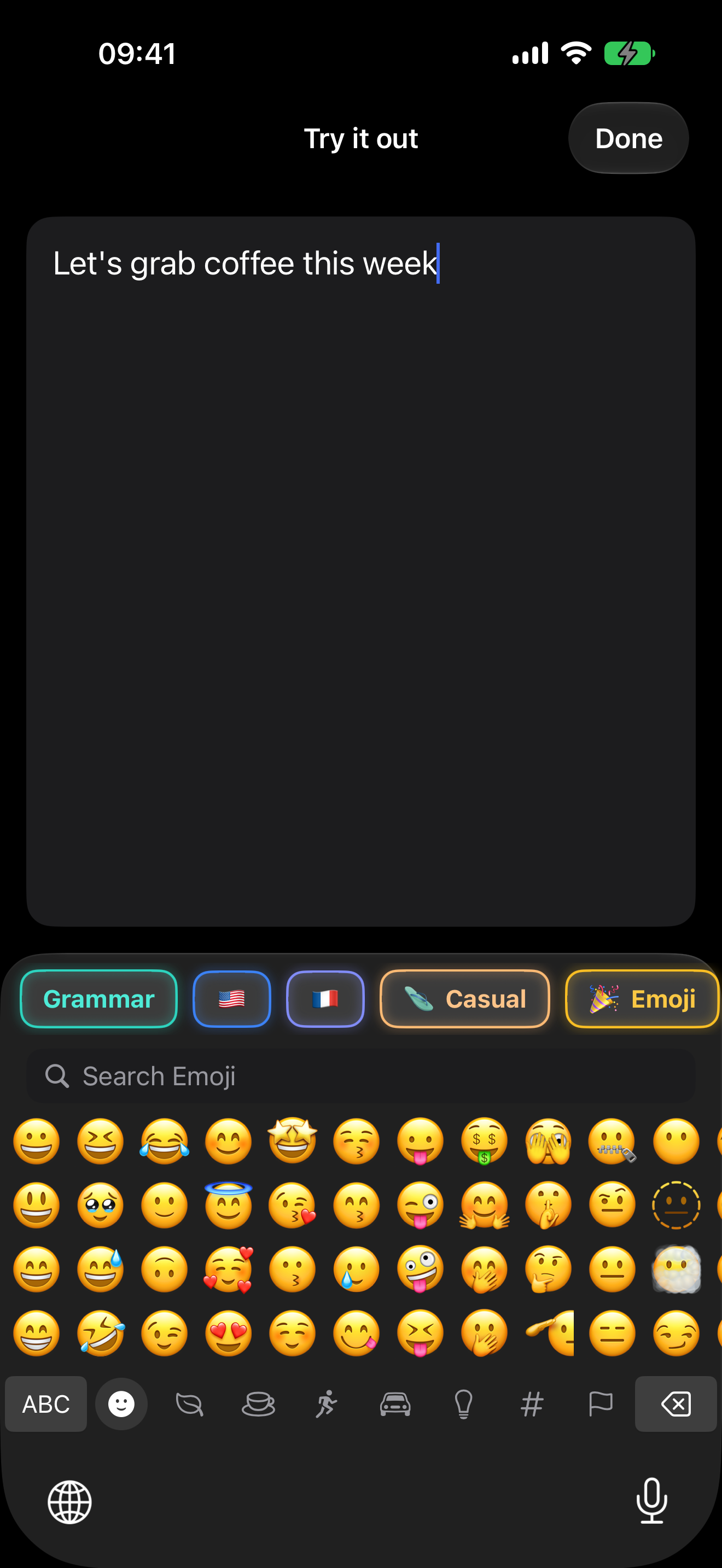
Open Messages, Mail, Notes or any other app with a normal text field. Switch to TidyType with the globe key, type something, then tap Grammar.
- If text is selected, TidyType rewrites only the selection.
- If nothing is selected, it rewrites the available text in the field.
- If the field is empty or sensitive, the chip strip is disabled.
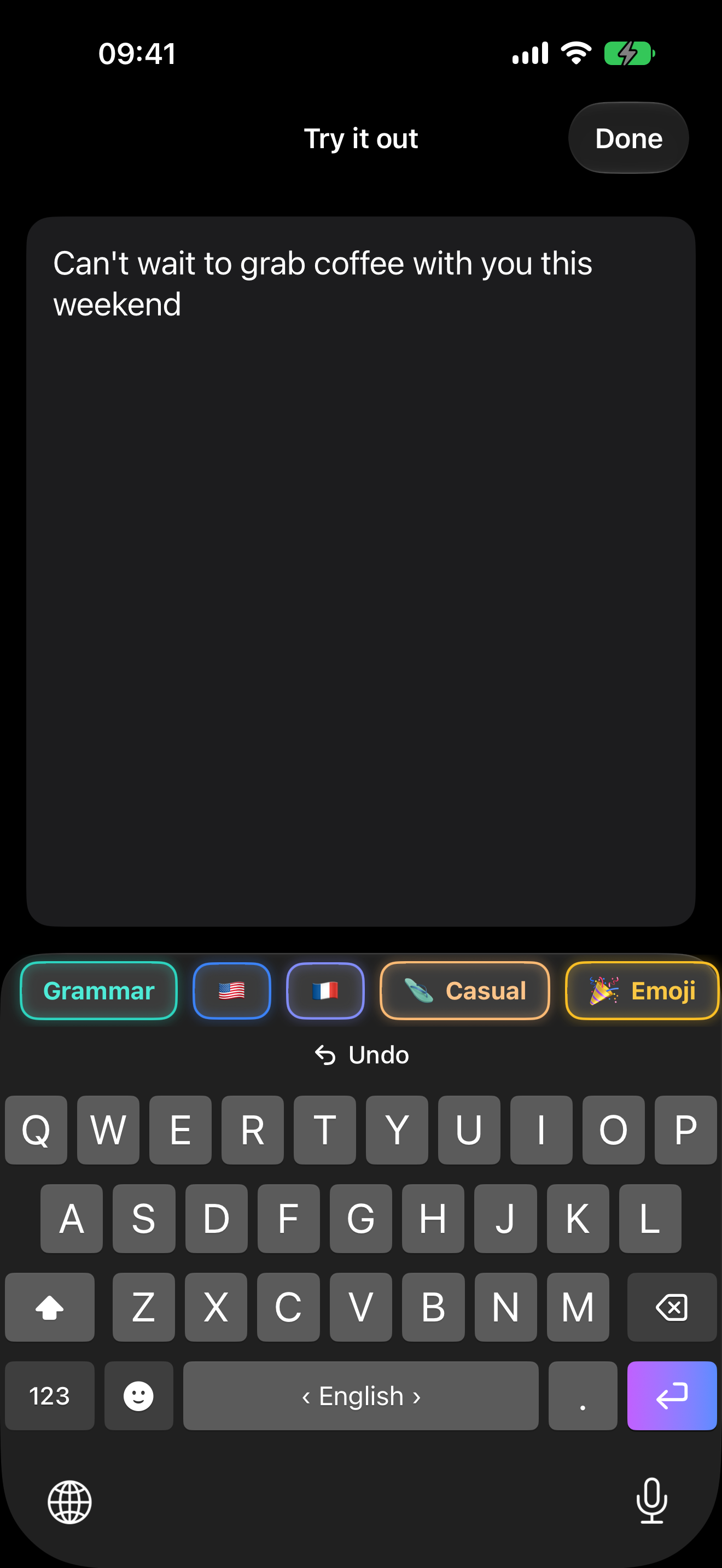
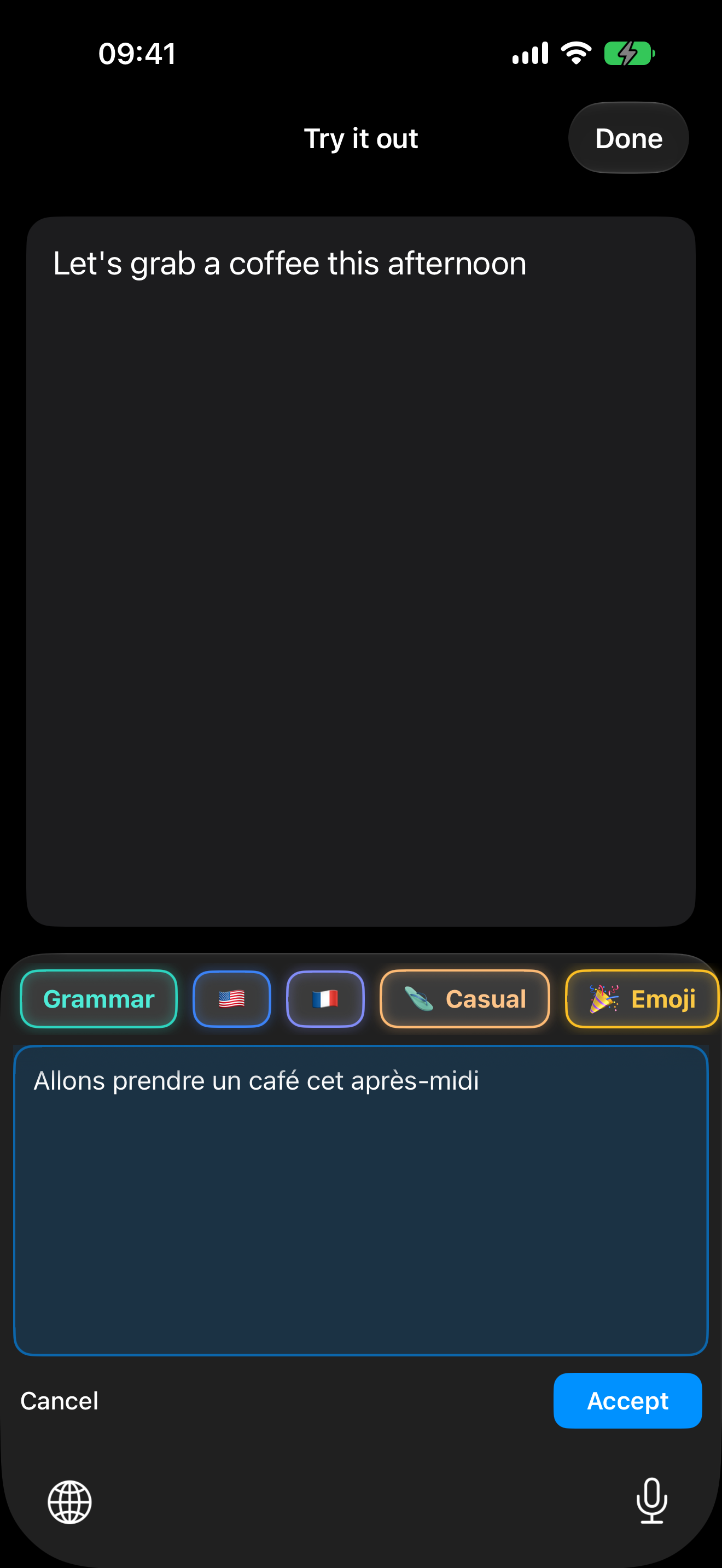
After a direct rewrite, tap Undo above the keys to restore the original. When preview mode is enabled, TidyType shows the result in a panel with Accept and Cancel instead.
Using AI chips
| Chip | What it does |
|---|---|
| ✏️ Grammar | Fixes spelling, punctuation and grammar while preserving your voice. |
| 🇺🇸 Language | Translates into the language shown on the chip. |
| 🩴 Casual | Rewrites in a relaxed, friendly tone. |
| 🎉 Emoji | Adds a few fitting emoji without changing the message. |
Voice on iOSiOS does not allow third-party keyboard extensions to access the microphone, so TidyType’s Voice chip is Android-only. The microphone shown at the bottom of the iPhone keyboard is Apple’s system dictation key and continues to work normally.
Translate into 23 languages
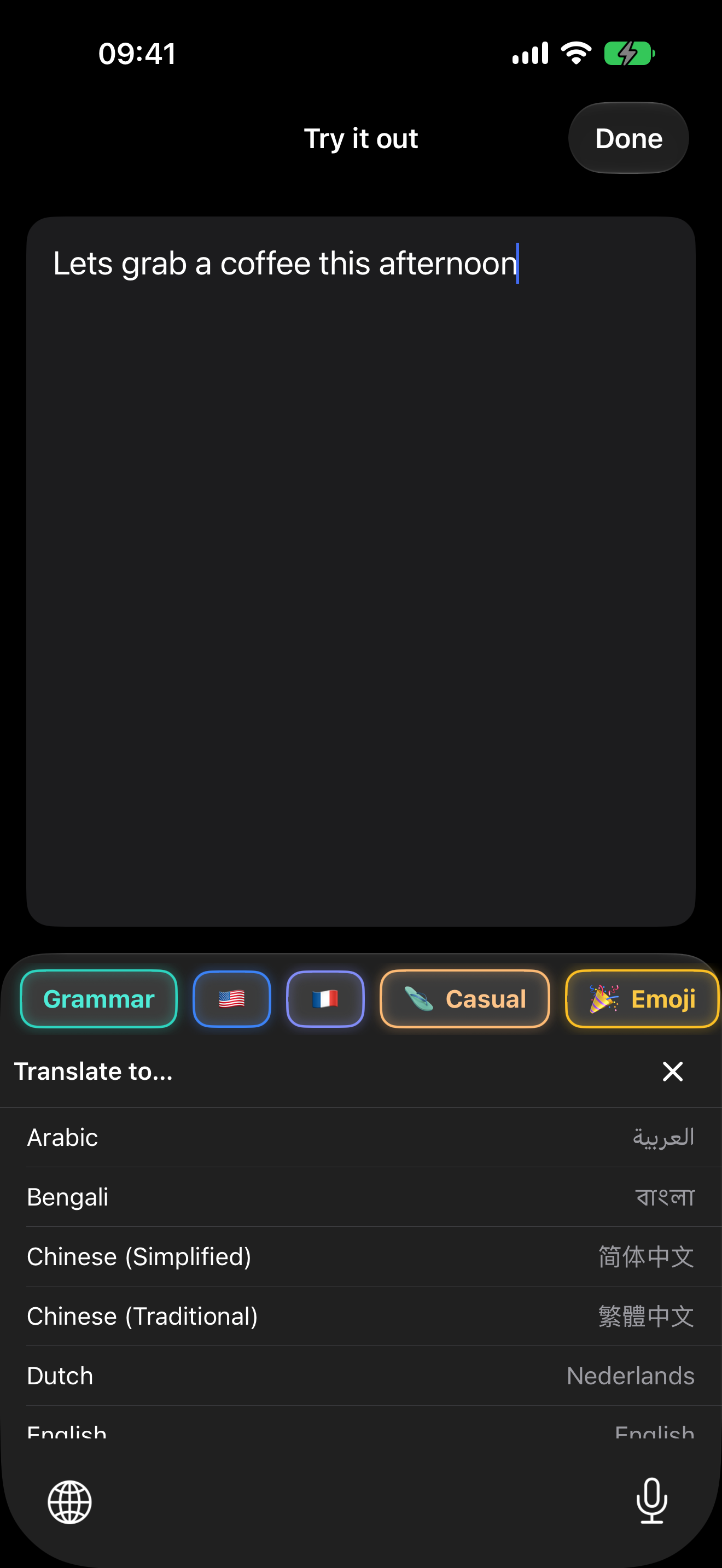
Tap a language chip to translate immediately. Long-press it to choose another target from the 23-language picker. You can also keep several language chips side by side for true one-tap translation.
Personalize your chips
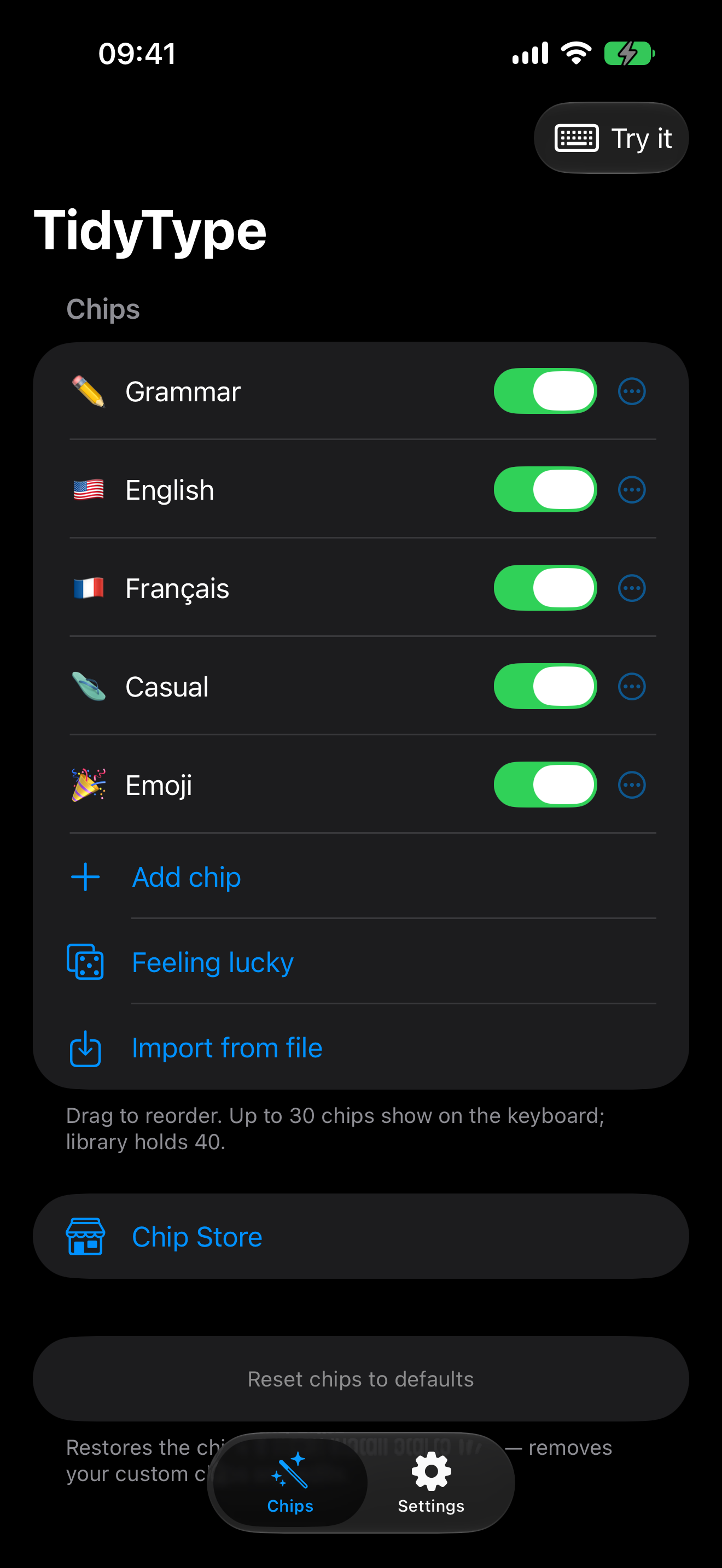
Open the TidyType app and use the Chips tab to turn chips on or off, reorder them and open the editor. Every editable chip can have its own name, emoji, color and instruction.
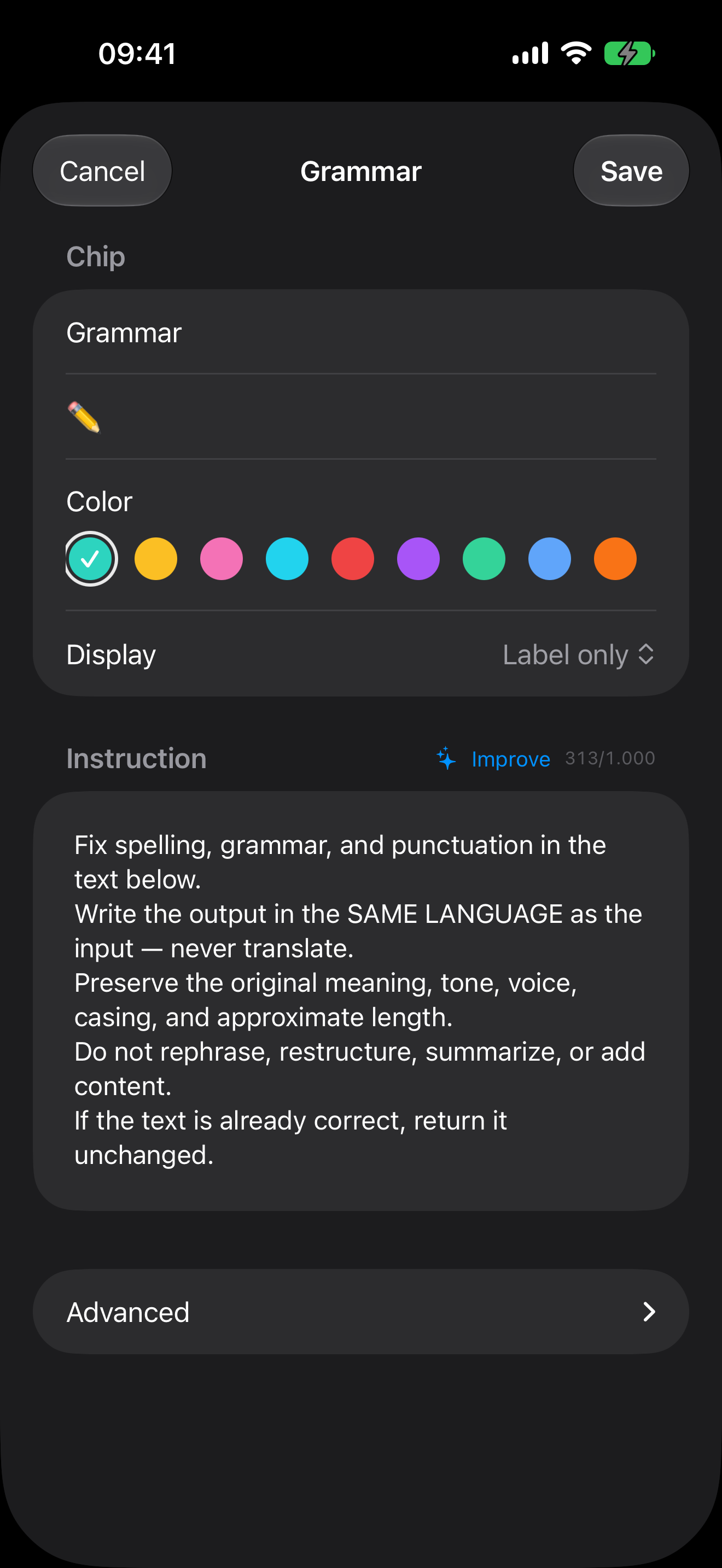
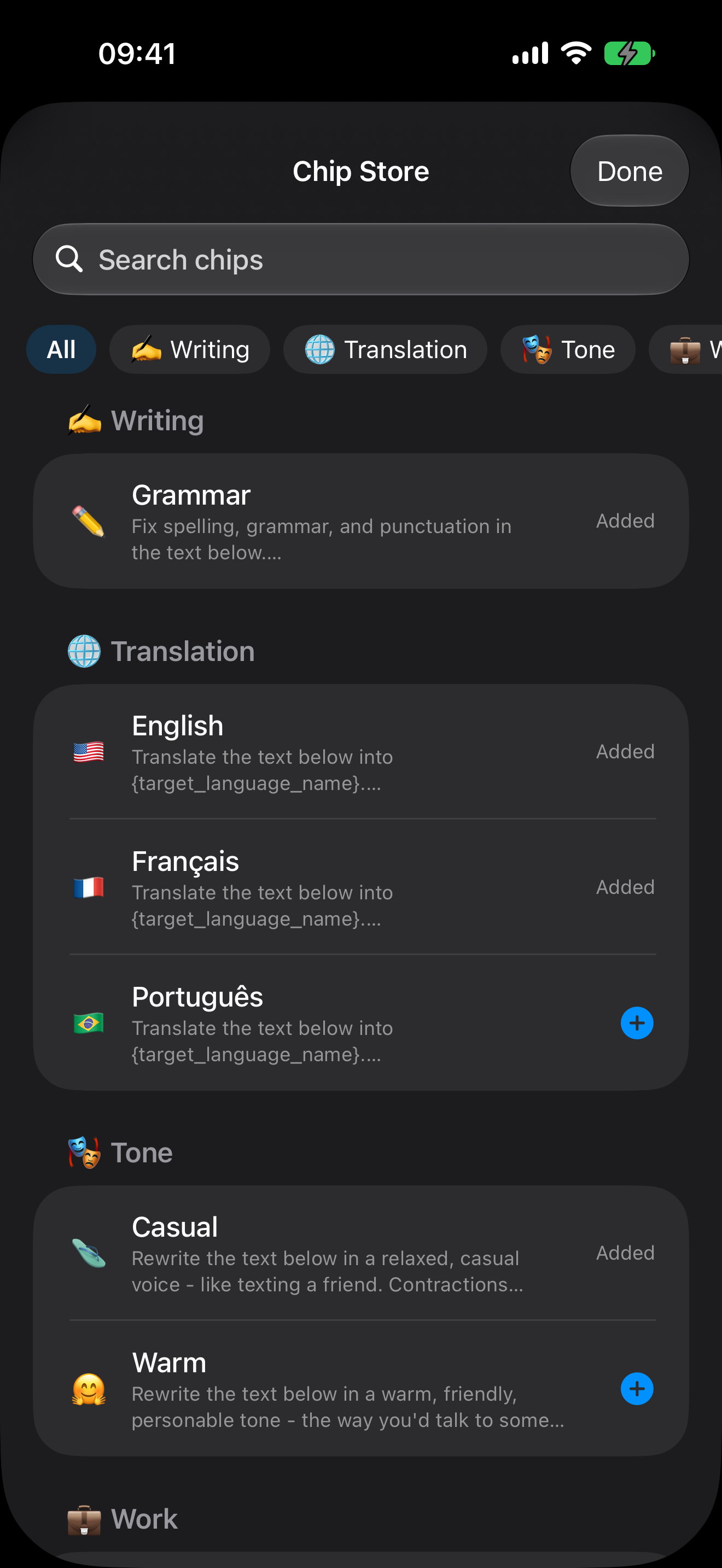
Chips exported from iPhone and Android use a compatible format. You can share a chip as a link or file; only that chip’s configuration is shared—never anything you typed.
Typing, emoji and keyboard languages
TidyType includes word suggestions, autocorrect, accent long-press, symbols, emoji search, haptics and key sounds. In Settings you can choose up to three keyboard languages and a QWERTY, AZERTY or QWERTZ layout.
Swipe left or right on the space bar to change between your chosen languages. Long-press the space bar to open the language picker. Use the globe key to switch between TidyType and other iOS keyboards.
TidyType Pro and the free trial
The keyboard, typing, autocorrect, word suggestions, emoji, accents and layouts remain free. AI rewriting, translation and custom-chip creation/import/export are included in TidyType Pro, with a 2-week free trial.
TidyType Pro is subscription-based. Your local App Store shows the price for your country or region before you confirm, and you can manage or cancel the subscription through your Apple account.
Privacy and Full Access
- The keyboard makes zero network requests.
- Text, rewrites, suggestions and preferences stay on your device.
- Apple Intelligence performs AI processing on-device.
- The companion app may optionally refresh the public Chip Store catalog; that request contains no typed text or personal content.
- Full Access is used only for shared local storage between the app and keyboard.
Read the complete iOS Privacy Policy and TidyType Pro Terms.
Troubleshooting
TidyType does not appear when I hold the globe key
Return to Settings → General → Keyboard → Keyboards and confirm TidyType is listed. If not, use Add New Keyboard…. Some secure fields force iOS to show the system keyboard; this is normal.
My chips or settings do not appear on the keyboard
Open TidyType in the Keyboards list and confirm Allow Full Access is enabled. Close and reopen the keyboard after changing it.
Apple Intelligence is unavailable
Confirm the iPhone model, iOS version, Apple Intelligence setting and device language meet the requirements above. If iOS is still downloading its model, leave the phone on Wi-Fi and power, then try again later.
An AI chip does nothing
Make sure the text field contains text and is not a password, one-time-code or other sensitive field. TidyType intentionally disables AI actions in sensitive contexts.
Where is the Voice chip?
Voice is Android-only because iOS blocks microphone access from third-party keyboard extensions. Use the iPhone’s system dictation microphone when you want to dictate text.